


rel=”noopener noreferrer” sounds like harmless HTML but misuse it, and you could be killing your SEO, breaking your affiliate tracking, and weakening your backlink strategy without even realizing it, key to understanding white hat link building technical attributes.
If you’re running an ecommerce site, scaling a SaaS startup, growing a fintech brand, or building a content machine that depends on affiliate revenue or backlink authority, understanding this tiny tag is mission-critical — our link building service handles all implementation correctly.
In this article, you’ll discover:
- What rel=”noopener noreferrer” really does
- Why it exists in the first place
- How it impacts your SEO, affiliate links, analytics, and user security
- When to use it and when to absolutely avoid it
And we’re not here for fluff. This is an SEO-smart, high-impact breakdown that protects your brand, boosts your rankings, and maximizes every link you publish.
Key Takeaways
- Use rel=”noopener” on all external links with target=”_blank”, it’s safe, smart, and SEO-friendly.
- Avoid rel=”noreferrer” on affiliate or tracked links because it strips referral data and may kill commissions.
- Don’t use either on internal links, they hurt more than help when used inside your domain.
- Audit your site regularly using tools like Screaming Frog to catch misconfigured rel attributes.
- Customize your CMS/link setup to fine-tune which links get which attributes especially in SaaS, fintech, and ecommerce.
What is rel=”noopener noreferrer”?
It’s a critical web attribute that can protect your site, your users, and your SEO performance. But what it does and how it works can be confusing if you’re in ecommerce, SaaS, fintech, or affiliate marketing.

Here’s the breakdown: the rel=”noopener noreferrer” attribute is used in HTML <a> tags to control how links behave especially when they open in a new tab (target=”_blank”).
It tells the browser to:
- noopener: Prevent the new tab from having access to the window.opener property (protects from reverse tabnabbing attacks).
- noreferrer: Prevents the browser from sending the HTTP referrer header to the destination site (removes origin/tracking info).
That sounds like a good thing, right? Security? Privacy?
Sure, but it comes with a tradeoff. When noreferrer is applied, it strips referrer data, which can affect affiliate link tracking and analytics and potentially impact your SEO if used incorrectly.
Use Case Scenarios
For external blog links, using the attribute is recommended since it protects security without affecting SEO. For affiliate links in eCommerce, caution is needed because noreferrer can block tracking data.
Internal links should avoid it, as it may interfere with navigation and SEO reporting. Fintech SaaS organic dashboards should use it to safeguard session integrity.
Finally, in paid backlink strategies, the decision depends on priorities, since it may reduce visibility in SEO tracking tools.
| Use Case | Should You Use It? | Why? |
| External Blog Link | Yes | Protects security, no harm to SEO if not affiliate. |
| Affiliate Link (Ecom) | Caution | noreferrer might block tracking parameters. |
| Internal Links | No | You don’t need it and it could mess with site navigation & SEO metrics. |
| Fintech SaaS Dashboard | Yes | Helps protect user session integrity. |
| Paid Backlink Strategy | Depends | Might reduce tracking clarity in tools like Ahrefs/Semrush. |
Real-World Example (Affiliate Link Breakdown)
<a href=”https://affiliate.link” target=”_blank” rel=”noopener noreferrer”>Check out this tool</a>
- If you’re in affiliate marketing, that noreferrer can prevent your platform from logging referral commissions.
- In ecommerce or fintech, you might want the click data for attribution in tools like GA4 or HubSpot but lose it when noreferrer is applied.
Why Do Developers Use rel=”noopener noreferrer”?
Because your browser’s default behavior is dangerously outdated and this attribute is the shield that protects your users, data, and brand from invisible attacks.
Modern browsers now apply rel=”noopener” behavior automatically to links when target=”_blank” is present.
Most marketers don’t know that when you open a link in a new tab (target=”_blank”), the new page can access your original page using JavaScript’s window.opener.
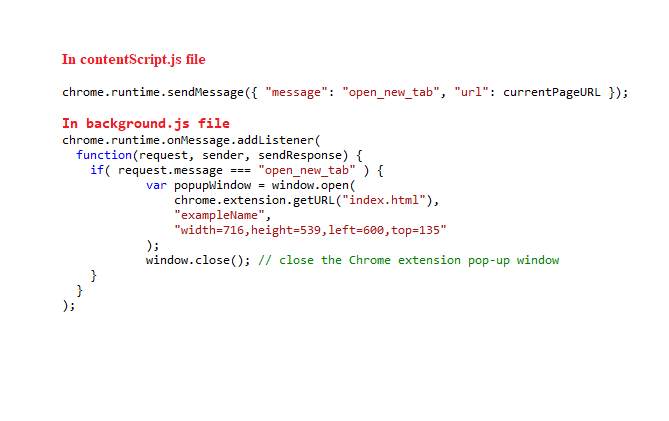
That opens the door to a sneaky trick called reverse tabnabbing where the new tab replaces your original page with a phishing clone or malicious redirect.
Example: Reverse Tabnabbing in Action
- User clicks a blog link to “trustedsite.com”
- That site opens in a new tab
- But it runs a script like:
window.opener.location = ‘https://phishingsite.com’;
- Your original tab is silently hijacked
- Boom user’s trust (and maybe their data) is gone

How noopener + noreferrer Help
The noopener attribute prevents a new tab from manipulating the original tab, which protects users from reverse tabnabbing attacks.
The noreferrer attribute blocks the referral URL from being passed to the destination site, enhancing user privacy but potentially limiting tracking and analytics visibility.
Together, they improve security and privacy without affecting SEO directly.
| Attribute | What It Does | Why It Matters |
| noopener | Prevents new tab from controlling original tab | Stops reverse tabnabbing |
| noreferrer | Blocks referrer URL from being sent to destination | Boosts privacy, may affect tracking |
Why This is Crucial for SaaS, Ecom, and Fintech
SaaS applications frequently open documentation, chat support, or third-party tools in new tabs, making the use of rel=”noopener” essential for protecting session data.
The same applies to eCommerce checkout pages that redirect users to third-party payment processors, where failing to implement it could expose user sessions to unnecessary risks.
For fintech platforms, which manage highly sensitive financial information, adopting safe-linking protocols by default is not just recommended but mandatory for maintaining security and trust.
Tip: CMS Platforms Automate This
- WordPress 5.1+ adds rel=”noopener noreferrer” automatically to all links with target=”_blank”
- Shopify and Webflow include similar behaviors, though some themes override it
But automation isn’t perfect. If you’re pasting HTML manually or using link shorteners/trackers always double check your link structure.
How Does It Affect SEO?
Short answer: noopener is safe. noreferrer can be a silent killer if you’re in affiliate marketing, ecommerce, or depend on link attribution.
Let’s clear the confusion once and for all.
noopener and SEO
The rel=”noopener” attribute has no effect on SEO. iI neither helps nor hurts rankings.
Its function is purely technical, impacting JavaScript behavior and browser security by preventing the opened tab from accessing the original page’s window object.
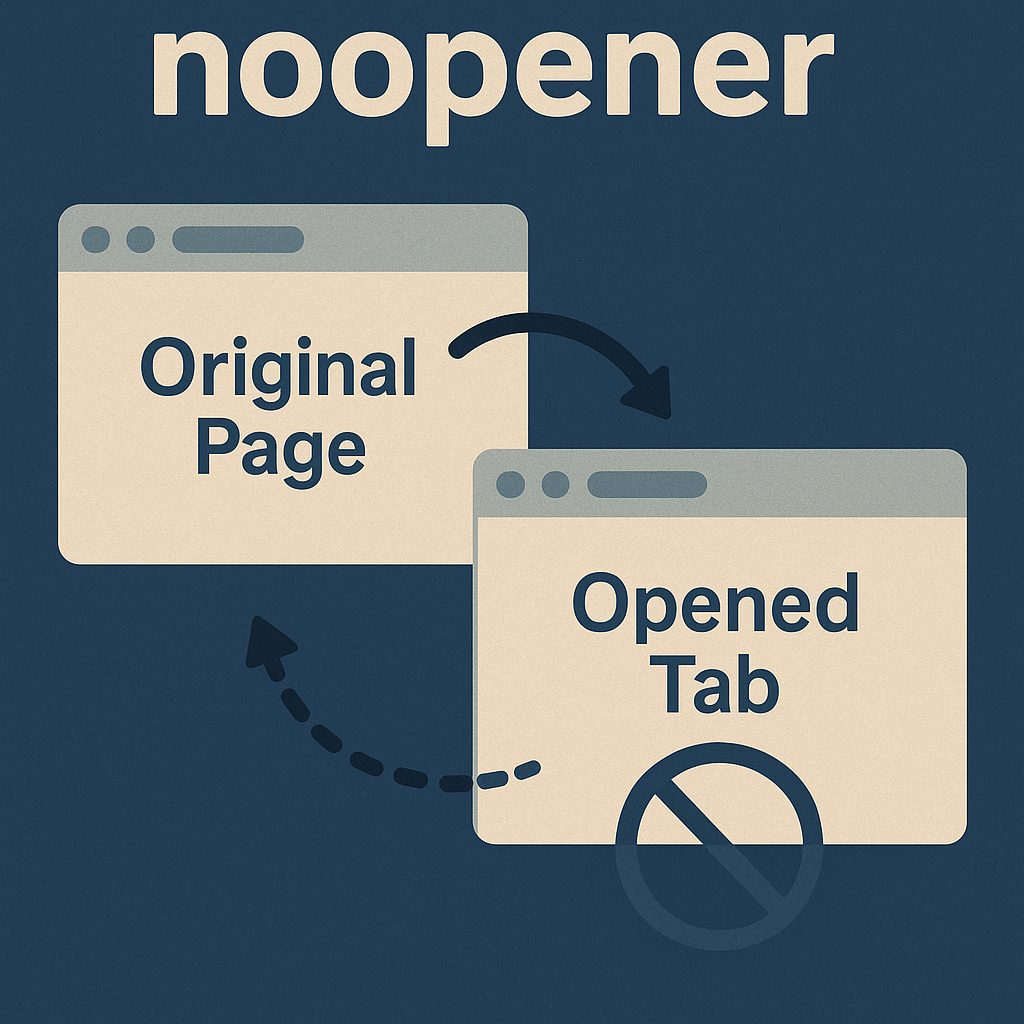
Because of this, it’s considered a best practice for security and is completely safe to use in all linking scenarios.
Bottom line: Always use noopener with external links. Google doesn’t care. It’s for protection.
noreferrer and SEO
This is where things get messy.
When you apply rel=”noreferrer”, the referrer URL is stripped. That means:
Affiliate platforms may fail to recognize the source of your traffic, leading to missed attribution. Analytics tools like GA4 or HubSpot might also log referral visits as “direct,” skewing reporting accuracy.
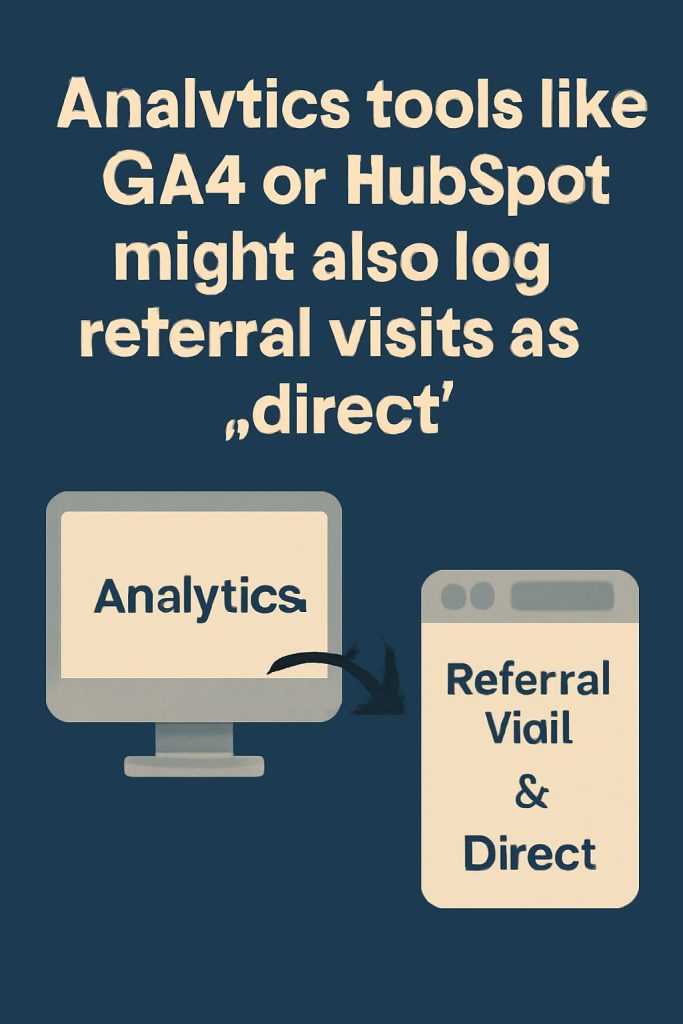
If someone navigates to your website using a link that does not include noreferrer, then you’ll be able to see their website listed in your Referral traffic link on your Analytics dashboard.
But if the link includes noreferrer, it will appear in Direct traffic
Additionally, backlink analysis tools such as Ahrefs and Semrush could lose visibility into those links, making it harder to measure the full impact of your placements.
Here’s what Google says:
But here’s the catch. If you’re running affiliate campaigns, UTM tracking, or referral-based commissions, noreferrer can erase your digital fingerprints.
Ecommerce + SaaS + Affiliate Scenarios
In eCommerce, SaaS, and affiliate setups, using noreferrer can interfere with tracking and revenue attribution.
Amazon affiliate links risk losing commissions, and SaaS referral programs may fail to log source data and in both cases, stick with noopener only.
For eCommerce payment processors like Klarna or Stripe, test carefully before applying noreferrer since it may disrupt attribution.
For blog-to-partner site links, the effect is minimal, so noreferrer remains optional.
| Scenario | Risk if Using noreferrer | Recommendation |
| Amazon Affiliate Link | Commission may not register | Avoid noreferrer |
| SaaS Referral Program (e.g. Rewardful) | Loss of referral source data | Use only noopener |
| Ecommerce with Klarna/Stripe Links | May confuse attribution | Test tracking first |
| Blog to Partner Site Link | Slight impact on reporting | Optional |
Tracking Breakdown: With vs Without noreferrer
When only rel=”noopener” is applied, referrer data remains intact meaning analytics stay accurate and affiliate tracking works properly.
In contrast, adding rel=”noreferrer” (alone or combined with noopener) strips referrer information, which can cause analytics tools to misattribute traffic and often break affiliate tracking systems.
| Attribute Applied | Referrer Sent? | Analytics Accurate? | Affiliate Tracking? |
| rel=”noopener” | Yes | Yes | Yes |
| rel=”noreferrer” | No | Sometimes Off | Often Broken |
| rel=”noopener noreferrer” | No | Sometimes Off | Often Broken |
Internal Linking & SEO Power
Internal links should never use noreferrer or noopener. They don’t need them. They don’t open in new tabs.
Adding them may confuse Google about your site architecture.
What’s the Difference?
Don’t lump them together. These two attributes may ride side-by-side, but they solve completely different problems.
Most CMS platforms add both (rel=”noopener noreferrer”) by default, but as a savvy site owner or SEO, you need to know when to split them up.
Quick Definitions
rel=”noopener” is purely a security safeguard since it prevents reverse tabnabbing, has no SEO drawbacks, and keeps affiliate tracking intact.
Meanwhile, rel=”noreferrer” is more sensitive: it removes referral data, which is safe for SEO but can cause analytics gaps and lost affiliate commissions if applied carelessly.
| Attribute | Main Purpose | SEO Impact | Affiliate Impact |
| noopener | Stops new tab from accessing original tab | Safe | Safe |
| noreferrer | Removes referrer data from browser header | Tricky | Risk of lost data |
Think of It Like This:
- noopener = browser-level security: Prevents the opened page from manipulating the origin page using window.opener. Essential for user safety.
- noreferrer = analytics-level blackout: No referrer means no trail. Platforms can’t track who sent the traffic.
Real-Life Use Cases
- Ecommerce Link to External Brand – Use noopener and avoid noreferrer if you want to track clicks in GA4
- SaaS Product Demo Page → Partner Integration – Use noopener and test with and without noreferrer for referral impact
- Affiliate Blog Link – NEVER use noreferrer if you rely on commissions
Best Practices
When linking externally, always apply rel=”noopener” for security, but use noreferrer only where privacy outweighs tracking needs. For affiliate links, avoid noreferrer to ensure commissions are tracked.
In fintech dashboards, use both attributes since security and confidentiality are critical. For internal links, skip them entirely since they add no value and can interfere with SEO signals and navigation.
| Use Case | noopener | noreferrer | Why? |
| External Non-Commercial Link | Yes | Optional | Security and privacy are fine |
| Affiliate Links | Yes | No | You need referrer data to earn money |
| Fintech Platform Dashboard | Yes | Yes | Security and privacy are essential |
| Internal Site Links | No | No | Unnecessary, can confuse bots and dilute UX |
Most Common Mistake
Developers assume noopener noreferrer is “one command.” But in reality, you can and often should split them apart.
Use just noopener if you want security without losing tracking.
Do rel Attributes Kill Link Juice?
No, they don’t but misuse them, and you’ll sabotage your SEO anyway. Let’s kill the myth: rel=”noopener noreferrer” does not block PageRank or SEO value by itself.
But how you apply it and where makes all the difference.
Google’s Official Position
So no, noreferrer doesn’t strip your link equity. But here’s the problem: most SEO tools (Ahrefs, Semrush, Moz) rely on the referrer header to detect backlinks.
If noreferrer is present, those tools can’t track the source even though Google still sees it.
That can lead to incomplete backlink profiles, underreported link value, and false negative SEO signals.
SaaS, Ecommerce, Fintech Context
In SaaS, the main risk is losing referral tracking data, so stick with noopener only. For eCommerce, where affiliate links are common, the risk of lost commissions is high so avoid noreferrer unless security demands it.
In fintech, the priority is safeguarding user data, so using both noopener and noreferrer is recommended for maximum protection.
| Industry | Risk of Losing Link Juice? | Action |
| SaaS | Medium (Referral Tracking) | Use noopener only |
| Ecommerce | High (Affiliate Links) | Avoid noreferrer unless security issue |
| Fintech | Low (Security > Referrer) | Use both for safety |
Link Strategy Rulebook
- Linking out to others? Always use noopener. Use noreferrer if you don’t care about them tracking you
- Getting links to your site? Ask for just rel=”noopener” if possible, and ensure no “nofollow” is added unless necessary
- Affiliate links? Avoid noreferrer unless you’re using custom tracking methods (like pixel-based redirects)
Both are vital if you’re managing large campaigns where referral data and clean link architecture matter.
Recap: Link Juice & rel Attributes
All three attribute setups (noopener, noreferrer, or both combined) still pass link juice and remain crawlable by GoogleBot.
The only difference lies in tracking: noopener keeps SEO tools fully visible, while noreferrer (alone or combined) hides referral data, which can reduce visibility in analytics but doesn’t affect SEO value.
| Attribute Combo | Link Juice | SEO Tracking Tools | GoogleBot Crawling |
| rel=”noopener” | Passes | Visible | Crawlable |
| rel=”noreferrer” | Passes | Hidden | Crawlable |
| rel=”noopener noreferrer” | Passes | Hidden | Crawlable |
Why It Can Hurt Affiliate Tracking
You could be sending thousands of clicks and getting paid for none of them. If you’re using rel=”noreferrer” on affiliate links, you might be burning money every single day.
Affiliate platforms like Amazon, ShareASale, Impact, and PartnerStack rely on the referrer header to track where traffic comes from.
When you add rel=”noreferrer”, the referrer is stripped meaning the destination site sees you as “direct” traffic, not a qualified referral.
And that means no commission.
Common Affiliate Scenarios That Break
Most major affiliate platforms like Amazon Associates, PartnerStack, and Impact Radius rely on referrer data, so adding noreferrer can break tracking and commissions.
The safer fix is to use only noopener, which protects security without blocking referral data. Some networks like ClickBank rely on redirects, making noreferrer less critical but still worth testing.
| Platform | Uses Referrer? | Affected by noreferrer? | Fix |
| Amazon Associates | Yes | Yes | Remove noreferrer |
| PartnerStack | Yes | Yes | Use only noopener |
| Impact Radius | Yes | Yes | Test with platform documentation |
| ClickBank | No | Optional impact | Might use redirect pixels |
Example: Broken Affiliate Link
- This link opens in a new tab
- It’s protected against tabnabbing
- But the affiliate program can’t track who sent the traffic
Better Version
- Keeps you protected
- Preserves referral tracking
- Helps affiliate platforms pay you
For SaaS & Ecommerce Referral Programs
Most use cookie + referrer-based logic. If noreferrer strips referrer, cookie attribution often fails.
To work around this:
- Use JavaScript-based click tracking (e.g., PixelMe, ThirstyAffiliates)
- Route traffic through a server-side redirect (e.g., /go/offer-name)
- Use platform-specific workarounds (e.g., Rewardful + UTM params)
These verticals often run affiliate partnerships and need tracking to justify marketing ROI.
How To Implement Them
You don’t need to guess. You just need to know where your links live whether it’s CMS, raw HTML, or JS and apply the right attribute at the right time.
Here’s the cold truth: most people don’t control their link attributes manually. They rely on WordPress, Shopify, or their dev team.
But if you don’t audit what’s actually being added, your SEO or affiliate commissions might be bleeding silently.
Basic Implementation (Manual HTML)
Use this when you’re embedding links directly into your site or email.
<a href=”https://example.com” target=”_blank” rel=”noopener”>Visit Site</a>
- Safe
- SEO-friendly
- Preserves affiliate tracking
Add noreferrer only if you don’t care about analytics or affiliate attribution:
<a href=”https://example.com” target=”_blank” rel=”noopener noreferrer”>Visit Site</a>
CMS Behavior Breakdown
CMS platforms handle noopener and noreferrer differently. WordPress adds them automatically (since v5.1+) but can be overridden via HTML blocks.
Shopify depends on the theme and may require custom Liquid templates or apps.
Webflow and Squarespace don’t add attributes by default, so you must insert them manually via settings or code blocks.
Wix adds noreferrer automatically, but it’s difficult to override.
| Platform | Adds Automatically? | How to Modify |
| WordPress | Yes (since v5.1+) | Use HTML block to manually override |
| Shopify | Theme-dependent | Use custom liquid templates or apps |
| Webflow | No | Manually add attributes in settings |
| Wix | Yes (noreferrer only) | Can’t override easily |
| Squarespace | No | Must add HTML block or use code injection |
Ecommerce / SaaS Must-Do List
- Audit all external links – Use Screaming Frog or Ahrefs to find outbound links and check for rel attributes.
- Update affiliate links – Remove noreferrer on critical money links (especially in blog content).
- Template Override – If you use themes (Shopify, WooCommerce), go into the source code and customize how <a> tags are rendered.
- Use redirect-based tracking – Create branded redirects like /go/toolname that track with full control.
- Monitor conversions – Test affiliate links after changes to confirm commissions still track.
Tools to Help
Several tools simplify managing noopener and noreferrer attributes as well as affiliate link tracking.
Screaming Frog crawls your site to analyze rel attributes, while Ahrefs monitors backlink visibility.
Pretty Links on WordPress helps manage affiliate redirects, and PixelMe tracks UTMs for affiliate campaigns ensuring links are both secure and properly attributed.
| Tool Name | Use Case |
| Screaming Frog | Crawl site for rel attribute analysis |
| Ahrefs | Check backlink visibility |
| Pretty Links | Manage affiliate redirects (WordPress) |
| PixelMe | UTM tracking for affiliate links |
Do You Need rel Attribute on Internal Links?
Absolutely not. Adding rel=”noopener noreferrer” to your internal links is like installing a security door between your kitchen and your living room, it’s unnecessary and potentially harmful to your SEO.
Internal links don’t open in new tabs by default. They live on the same domain.
If you are not on WordPress, adding the rel=”noopener” to all your external links that open in a new tab is recommended. Noopener has zero impact on your SEO, so you can safely use it to enhance your website’s security
There’s no risk of reverse tabnabbing, and Google needs these links to understand your site structure.
So when you slap rel=”noopener noreferrer” on your internal links, you’re:
- Wasting HTML real estate
- Possibly confusing search crawlers
- Messing with analytics and user flow
Why Internal Links Matter (SEO 101)
Internal links play a crucial role in SEO by distributing PageRank throughout your site, signaling to Google which pages are topically related.

Beyond this, they help improve user engagement metrics, such as session duration and bounce rate, by guiding visitors to relevant content and keeping them exploring your site longer.
Add unnecessary attributes and you risk:
- Breaking tracking with noreferrer
- Disrupting crawl logic
- Slowing user experience with overcoded links
Common Mistakes
A common internal linking mistake is applying rel=”noreferrer” or rel=”noopener noreferrer” on navigation or CTA links. This can drop tracking accuracy and confuse SEO context.
To fix it, remove these attributes from internal links and audit any plugins that auto-add them, whitelisting internal pages to preserve SEO value and user experience.
| Mistake | Impact | Fix |
| Using rel=”noreferrer” on nav links | Tracking drop-off | Remove the attribute |
| Using rel=”noopener noreferrer” on CTAs | Confuses SEO context | Strip attributes from internal links |
| Auto-adding rel to all links via plugin | Global SEO or UX issues | Audit and whitelist internal links |
Correct Internal Link Example
<a href=”/about-us”>Learn more about our team</a>
No target=”_blank”, no rel attribute, and 100% SEO optimized
When It Could Apply
Only apply rel=”noopener” to internal links if:
- You explicitly open a link in a new tab (target=”_blank”)
- You’re linking to user-generated content (e.g., forums)
Still, even then never use noreferrer internally.
Both these services thrive on clean internal architecture, especially when scaling traffic across product or content silos.
Final takeaway: Internal links = no rel needed. Keep it clean. Keep it crawlable. Keep it powerful.
Conclusion
Most people apply rel=”noopener noreferrer” like a blanket. Pros use it like a sniper.
Here’s the final word:
- Use noopener always on external links with target=”_blank”, it’s safe and protects your users.
- Avoid noreferrer unless privacy outweighs tracking like on sensitive fintech dashboards or anonymous apps.
- Never apply these to internal links. Ever.
If you’re monetizing via affiliate links, running a SaaS referral program, or building backlinks to grow traffic this tiny attribute could silently cost you thousands.
So don’t ignore it. Audit your links. Control your attributes. And make every link on your site work for you not against you.
FAQ: rel=”noopener noreferrer”
Does rel=”noopener noreferrer” hurt SEO?
No. Google still passes PageRank. But noreferrer may block referral tracking in analytics and affiliate platforms.
Should I use rel=”noopener” on all external links?
Yes. It protects users from reverse tabnabbing without affecting SEO or tracking.
When should I avoid rel=”noreferrer”?
Avoid it when linking affiliate offers, referral programs, or when analytics matter. It strips referral data.
Do I need these attributes on internal links?
No. They’re unnecessary for internal links and may interfere with user tracking or crawling.
Can affiliate links stop working because of these attributes?
Yes. noreferrer can prevent platforms from tracking referrals, which can mean lost commissions.
What’s the difference between noopener and noreferrer?
noopener blocks JavaScript access to your tab. noreferrer hides referrer info. Use them separately when needed.
How do I check if my links are using these attributes?
Use tools like Screaming Frog or browser inspect mode to scan for rel attributes.
Are these attributes added automatically in WordPress?
Yes — since version 5.1, WordPress adds both for links with target=”_blank”.





 Start the conversation