


Schema SEO is how you stop AI from guessing. When you add clean JSON-LD to your pages, you translate messy HTML into explicit facts about your authors, your brand, and the questions you answer.
This guide shows you the exact implementation path. You’ll wire up Author and Organization schema the right way, connect identity with verifiable profiles, and embed publisher relationships that match your on-page reality.
You’ll validate everything with the testing workflow Google actually respects, not the half-measures that break on deploy.
You’ll also structure FAQs to map cleanly to real queries so your answers are short, findable, and machine-ready.
Key Takeaways
- JSON-LD is the recommended format; it decouples structure from presentation and scales cleanly across templates.
- There’s no “AI schema.” Structured data supports understanding and eligibility; content quality and parity still rule.
- Model Author (Person) and Organization once, assign stable @ids, and reference them from all Articles to prevent identity drift. Follow logo specs.
- FAQPage is about clarity, not guaranteed UI. Since 2023, FAQ rich results are limited – keep answers concise and mirror on-page text.
- Run schema coverage audits as a program: crawl, validate, close gaps, and measure impact in Search Console – not just once, but every sprint.
What is JSON-LD and Schema Markup for AI Search?
JSON-LD is a machine-readable wrapper for facts about your page preferred by Google and the cleanest way to feed AI consistent entities.
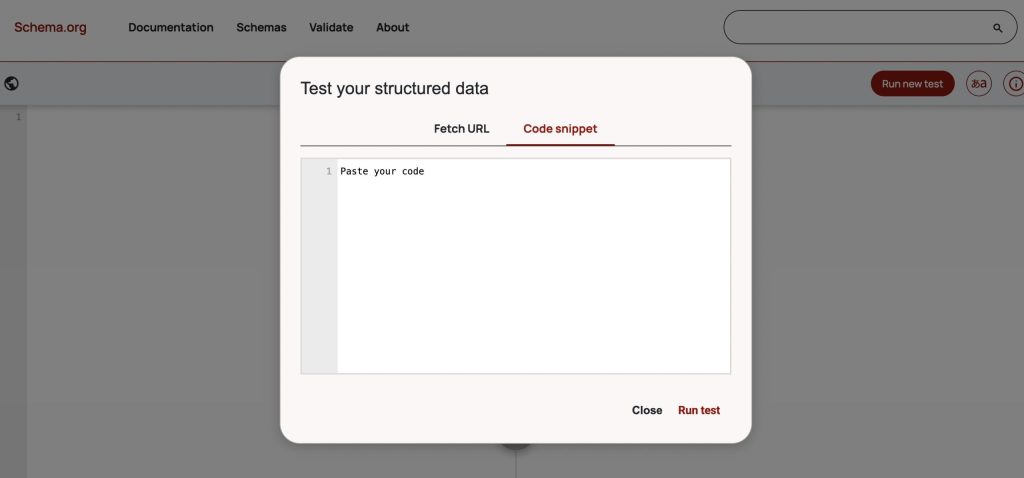
Test it with Google’s Rich Results Test for eligibility and the Schema Markup Validator for syntax then harden your release process.

JSON-LD (JavaScript Object Notation for Linked Data) expresses entities and relationships – author, organization, products, questions – in a compact block that search engines and AI can parse without scraping the DOM.
Google explicitly recommends JSON-LD when your setup allows it; you validate with two tiers of checks: Google’s Rich Results Test to see what experiences your page is eligible for, and the Schema Markup Validator to confirm Schema.org compliance regardless of Google features.
The exact tools to use and when
| Task | Use this | Why it matters |
| Determine rich-result eligibility | Google Rich Results Test | Shows which search features your markup can trigger and flags implementation issues. |
| Validate Schema.org syntax | Schema Markup Validator | Independent, non-Google validation for all Schema.org types. |
| Check policy alignment & format | Google guidelines | Confirms JSON-LD is supported and content must match what users see. |
| Understand supported features | Search Gallery | Confirms which types Google actually renders (e.g., Organization, Product, FAQ). |
Pair those with Search Console’s technical guidelines so your markup always reflects visible content and stays within policy.
This combo improves interpretability for AI features like AI Overviews, where clarity and content-parity matter more than clever hacks.
Why JSON-LD beats microdata/RDFa for most teams:
- It decouples structure from presentation, reducing template fragility.
- It’s easier to version, lint, and ship via tag managers.
- Google calls it out as “recommended,” which simplifies internal debates.
Issues with structured data often come from invisible or contradictory fields, such as when the JSON-LD lists a product at “$49” while the page itself shows “$59,” creating mismatches that confuse both users and search engines.
Another common problem is using the wrong schema types, like labeling a standard blog post as a NewsArticle without meeting news criteria or applying QAPage markup to simple FAQs.
Finally, some marketers attempt “AI ranking” hacks, assuming structured data will directly influence AI-driven rankings, but its true role is to improve clarity and eligibility, serving as foundational hygiene rather than a shortcut to higher visibility.
Tip: keep JSON-LD stable and centralized (e.g., partials or a tag manager) so front-end changes don’t break your markup. Google’s guidance favors JSON-LD because it’s robust at scale.
Where JSON-LD intersects AI Overviews
Google’s AI features documentation stresses content quality and alignment; structured data supports understanding and eligibility, but it must reflect on-page reality.
Think of JSON-LD as the schema layer that disambiguates entities for AI systems rather than a shortcut to inclusion.
How Do You Add Author and Organization Schema for AI SEO?
Add Person and Organization entities in JSON-LD, link them with @id, and reference them from each Article via author and publisher.logo.
Use Google’s author best-practices and Organization guidelines so AI can disambiguate people and brands accurately, repeatably, at scale.
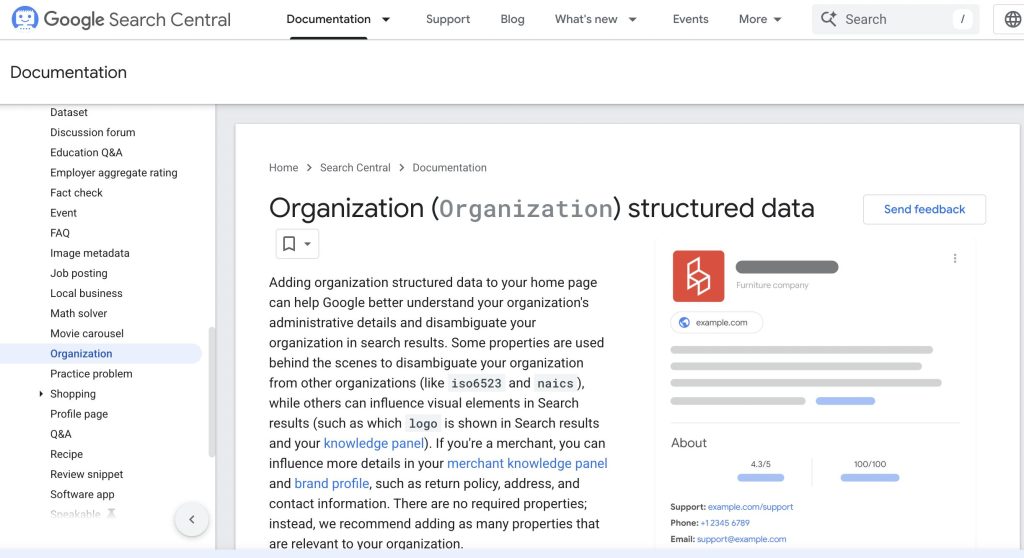
When you implement Author and Organization schema correctly, you’re not “decorating” pages, you’re asserting identity.
Google explicitly documents recommended author fields (name + URL or sameAs) and how to model multiple authors.
It also documents Organization properties that influence Search/Knowledge Panels (like logo, which must be at least 112×112 pixels and crawlable).
Tie it all together with stable @id URIs so every article points to the same canonical person and brand objects. Do this, and AI systems stop guessing who wrote your content or which company stands behind it.
Implementation blueprint (author + organization)
- Give each entity a permanent @id – Use a resolvable URL for the author’s profile and your brand’s homepage (or a dedicated /#organization fragment). This lets every Article reference the same identity without duplicating properties.
- Mark up the author’s profile page – Add a Person object with name, url, and sameAs links to verifiable profiles.
- Mark up the homepage (or About page) as Organization – Include name, url, logo, sameAs, and contact info where relevant. Google’s Organization doc is explicit about recommended fields and the logo guidelines.
- Reference both from every Article – For each article, declare author (array-safe for multiple authors) and ensure publisher.logo/Organization exists somewhere on site (preferably the homepage).
- Validate before release – Run the Rich Results Test (eligibility) and the Schema Markup Validator (syntax), then monitor in Search Console. Keep schema consistent with visible content.
Notes: Google recommends adding as many relevant Organization properties as possible and requires logo images to be at least 112×112 px and crawlable for best use in Search/knowledge features.
When implementing structured data, there are a few key rules to keep in mind.
First, avoid entity drift: if an author’s job title changes, update the Person node in their profile so every article referencing the same @id inherits the change without requiring page-by-page edits, this is why @id is so critical operationally.
Next, maintain strict parity: the values in your JSON-LD must always match what users actually see on the page, such as names, dates, or images. Any mismatch can block eligibility for rich results and even trigger manual actions.
Notes: Google recommends listing each author separately (don’t comma-join names) and providing multiple high-resolution images for article markup (16:9, 4:3, 1:1).
Be careful with logos too: use a square or brand-appropriate version that meets Google’s 112×112 minimum, is crawlable, and lives at a stable URL.
Finally, choose the correct types: use Person for people and Organization for brands, not Thing, and avoid mislabeling basic FAQs as QAPage. Sticking to Google’s supported type lists ensures your markup remains valid and effective.
CMS notes (WordPress, headless, enterprise)
- WordPress: Yoast, AIOSEO, RankMath let you set Organization/Person defaults and inject custom blocks. Still add stable @id and map social profiles in plugin settings.
- Headless/SPA: Generate JSON-LD server-side or early in hydration to avoid crawl timing issues. Keep objects as template partials so design changes don’t break schema.
- Enterprise: Centralize schema in a component library and version it. QA schema changes like code (lint, unit tests, visual parity checks).
How Do You Structure FAQs to Appear in AI Overviews?
Write FAQs as tight question–answer pairs on-page, mark them up with FAQPage JSON-LD, and keep answers faithful to visible text.
There’s no “special AI schema,” but clean, parity-safe FAQs make it easier for AI Overviews to cite you if your page already deserves it.
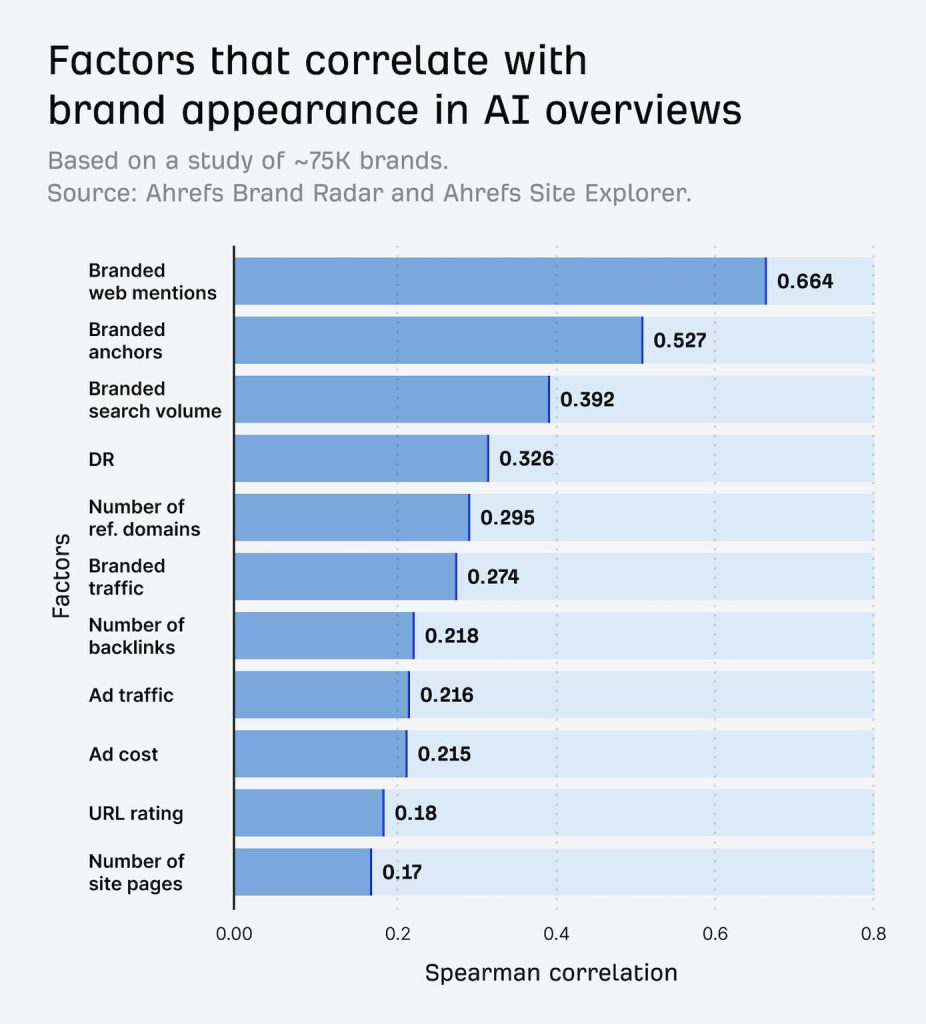
AI Overviews don’t require a unique markup. Google’s guidance is explicit: there are no extra requirements or custom schema to appear in AI Overviews or AI Mode.
That said, structured data still matters because it clarifies entities and relationships and must match what users see.
So your job is twofold: craft FAQs that directly map to real user questions, and annotate them with valid FAQPage JSON-LD that mirrors the on-page content word-for-word.
This increases machine confidence and reduces misinterpretation. As of Google’s 2023 update, classic FAQ rich results are limited in scope, so treat schema as an understanding layer first, a UI enhancement second.
Why this works now: AI Overviews increasingly surface clear sources alongside summaries. When your Q→A pairs answer the query directly and your schema is clean, you’re easier to select as supporting evidence.
What should the FAQ content look like (before schema)?
You need short answers that actually resolve the query, not teaser blurbs. Aim for 1–3 sentences that contain the core fact or procedure, then add optional context beneath.
Phrase the question exactly how searchers ask it (use your PAA data and internal search logs), and avoid duplicative variants that say the same thing.
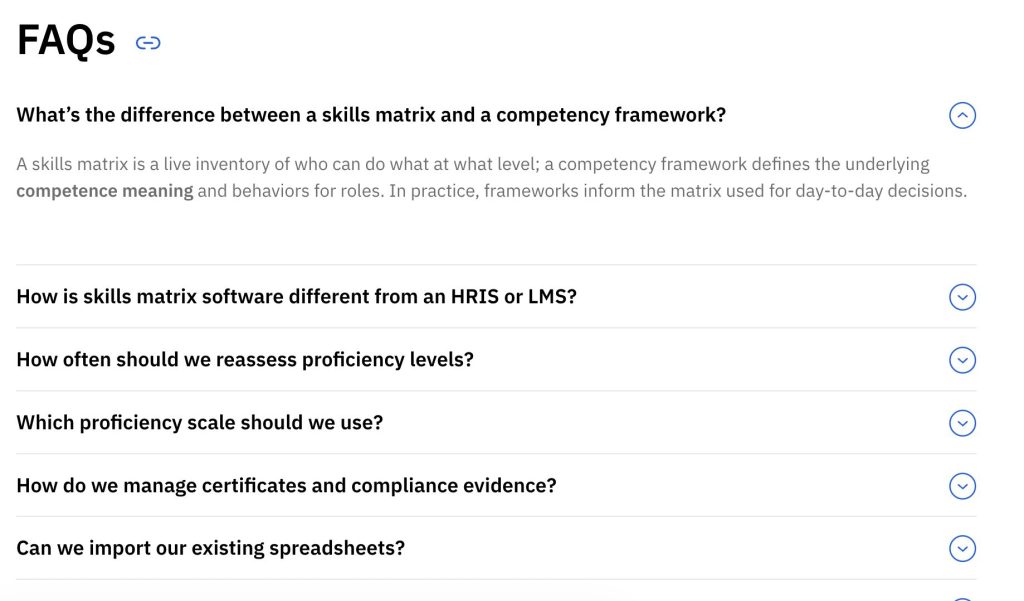
Keep the answers consistent everywhere – headers, body copy, and schema – so Google’s systems never see a contradiction.
If you can’t justify an FAQ for a page with real user intent, don’t force it; AI Overviews pick accurate, complete pages that demonstrate topical coverage, not pages that spray generic Q&As.
Do this before you mark up:
- Confirm the FAQ questions align with search demand (PAA, Search Console queries).
- Write the on-page Q and answer first; only then add schema.
- Ensure every fact in the answer is visible in HTML (no hidden text).
- Map one page to a coherent cluster of 4–8 FAQs, not 40 near-duplicates.
How to mark up FAQs with JSON-LD
Use FAQPage when your page provides a set of fixed Q→A pairs. Use QAPage only when multiple user-generated answers are possible (forums, community Q&A).
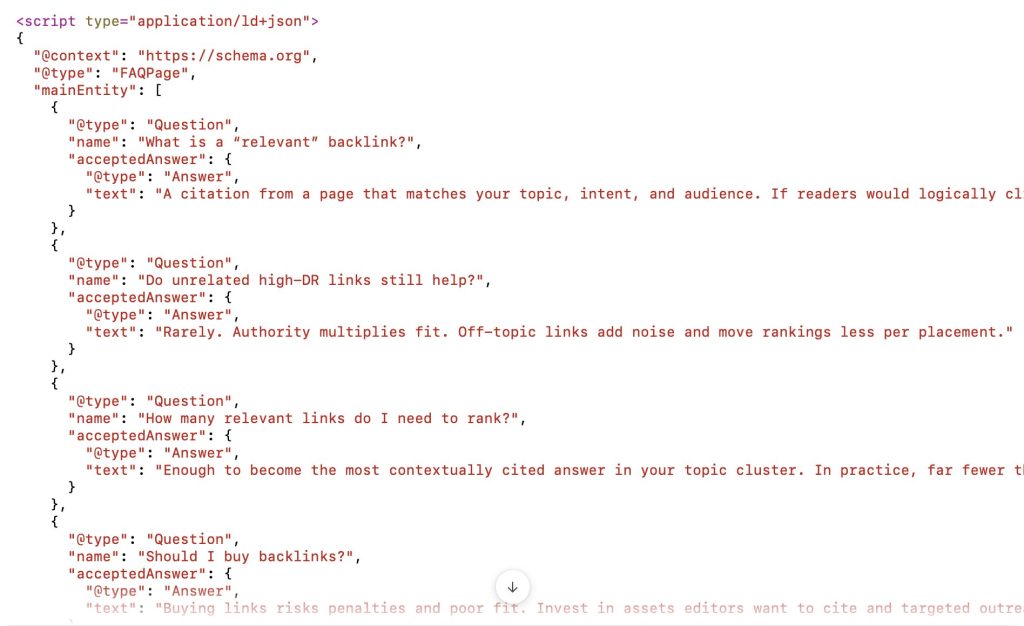
Many teams misuse QAPage trying to “boost” visibility; it backfires because it misrepresents the page type.
Build the JSON-LD exactly as rendered, including punctuation and line breaks, and keep it close to your HTML (head or body is fine). Validate both syntax and eligibility before release.
When do FAQs actually contribute to AI Overviews?
FAQs help when they reduce ambiguity and directly fulfill a sub-question within a broader query.
For example, a buyer guide might include “Do I need JSON-LD for AI Overviews?” and “How do I validate my markup?”
Each answer stands alone, but also supports the page’s main topic. Even though traditional FAQ rich results were curtailed in 2023, the structured data still clarifies your content for AI features and for Search overall whenever it’s helpful to show.
Practical signals that your FAQ section is pulling weight:
- Higher “time on page” from Overview clicks (track with web analytics).
- Growth in queries where your page is a cited source in Overviews (observe referrers and query logs).
- Fewer “people also ask” repeats in your content gaps because your FAQs preempt them.
FAQ vs. QAPage: which one should you use?
| Page scenario | Correct type | Why |
| You publish a fixed list of Q→A you control | FAQPage | Best for editorial FAQs where only your answer is shown. |
| One user question, many user answers (forum thread) | QAPage | Designed for community answers; don’t use static FAQs. |
| Product guides with “how do I…?” micro-steps | FAQPage or embed Qs inline | Pick what matches your layout and visible content. |
Implementation checklist you can ship this sprint
- Draft 4–8 high-intent FAQs per eligible page; keep answers to 1–3 sentences up top.
- Publish the FAQ section visibly in HTML (no CSS-hidden content; accessible accordions are fine).
- Add FAQPage JSON-LD that exactly mirrors the visible text – character for character.
- Validate with the Schema Markup Validator (syntax) and sanity-check in the Rich Results Test (eligibility).
- Re-crawl a sample via URL Inspection and monitor Search Console performance for the “Web” search type (AI features roll into overall traffic).
Where this plugs into your authority layer: FAQs work best when the rest of your entity signals are strong.
If your brand needs more corroboration across the web, bolster it with high-quality mentions and editorial links to reinforce the same facts your schema claims.
- Schema–content mismatch: If your JSON-LD answers differ from the visible copy, you violate parity. Fix the on-page text, then update schema.
- Over-stuffed FAQs: Don’t create 30 near-duplicate questions. Consolidate and target intent clusters.
- Wrong page type: Marking static FAQs as QAPage confuses systems and can reduce eligibility. Use the correct type.
- Chasing deprecated rich results: Since 2023, FAQ rich results are limited; focus on clarity for AI Overviews and general understanding.
What is a Schema Coverage Audit?
A schema coverage audit measures how completely structured data is implemented across your site, then prioritizes fixes by business impact.
You’ll crawl, extract, validate, compare to your roadmap, and monitor in Search Console. Do this once, and you’ll spot gaps you didn’t know you had.
A proper audit is not a one-off “validate a few URLs” exercise.
It is a repeatable system that maps every crawlable template to the schema types you intend to ship including Article, Organization, FAQPage, Product, HowTo and verifies that real pages actually contain valid, parity-safe JSON-LD.
Start with Google’s general structured-data guidelines and their clear recommendation to use JSON-LD where possible.
Then use Google’s Rich Results Test for feature eligibility checks, the Schema Markup Validator for Schema.org syntax, and Search Console’s rich result reports and URL Inspection for ongoing visibility into what Google indexed and why.
Complement that with a crawler that extracts JSON-LD at scale so you can see errors, warnings, and missing fields across thousands of pages in minutes.
How To Run a Schema Coverage Audit
Define your target schema per template, crawl the site, extract JSON-LD, validate syntax and eligibility, compare actuals vs. target, fix high-impact gaps, and monitor in Search Console. The nuance is in your template mapping and here’s the process:
1. Set the target (“schema roadmap”)
For each template (blog post, category, product, location page), decide the exact Schema.org type(s) and required/recommended properties you intend to ship.
Keep this canonical and versioned so devs, content, and SEO speak the same language. Google’s gallery clarifies what Search actually supports as rich results; your roadmap should favor those types.
2. Crawl & extract at scale.
Use a crawler that can parse JSON-LD, microdata, and RDFa from rendered HTML. Screaming Frog’s SEO Spider can extract structured data (including in JS-rendered pages) via its Extraction settings.
Sitebulb collects and validates against both Schema.org and Google guidelines. Turn on the schema extraction/validation options before you crawl.
3. Validate with the right tools
• Rich Results Test → confirms which features a URL is eligible for and flags implementation issues.
• Schema Markup Validator → syntax + Schema.org conformance (independent of Google features).
• Search Console → rich result reports for aggregated errors/warnings and the URL Inspection tool to check the indexed version of key pages.
4. Compare actuals vs. roadmap
For each template, compute coverage: what % of live pages contain the intended type, how many have errors or warnings, and which recommended properties are missing.
Google’s Organization doc spells out strict logo requirements: 112×112+ pixels, crawlable, indexable so use them as a hard check.
Prioritize by impact
Fix pages that (a) map to revenue/lead goals, (b) rank on queries likely to trigger AI Overviews, and (c) are eligible for rich results. Address errors first; warnings become roadmap items. Screaming Frog’s issue filters help isolate validation problems quickly.
Ship, re-crawl, and monitor
After deployment, validate a sample set with the Rich Results Test, request reindexing for key URLs via URL Inspection, and track Search Console’s rich result reports for error decay and coverage growth over 2–4 weeks.
Tip: If you’re a multi-brand enterprise, run this as a template audit first, then a brand overlay audit to verify Organization/Logo/sameAs objects meet Google’s requirements globally.
Common audit findings
- Logo fails – Fix the file to ≥112×112, ensure it’s crawlable/indexable, and reference it from your Organization JSON-LD. Then standardize the asset path so devs don’t break it later.
- Missing author/publisher links – Add stable @id URIs for Person and Organization, and reference them from every Article to eliminate identity drift across posts. Validate on a sample of legacy posts after rollout.
- Schema–content mismatch – Google’s guidelines require parity between visible content and structured data. Audit with side-by-side checks and fix the UI copy or the JSON-LD – never leave them contradictory.
- JavaScript-only JSON-LD race conditions – If your schema appears post-render intermittently, move generation server-side or ensure it’s injected reliably at initial render. Validate with a crawler that fetches rendered HTML.
What “good” looks like
| KPI | Baseline → Target | Rationale |
| Template coverage | 65–80% → 95%+ | Every page of a template should emit the same valid types |
| Error rate | 5–15% → 0% | Errors kill eligibility; must be zeroed |
| Warning rate | 20–40% → <10% | Chip away; prioritize warnings that unlock features |
| Org/Author consistency | Fragmented → Stable @id tied sitewide | Eliminates misattribution |
| Rich result eligibility | Sporadic → Systematic on target types | Valid markup + required properties |
These are directional; use your vertical and site size for context. What matters is the trend line after each sprint.
Tie your audit to revenue
Coverage is not the finish line. Attach every fix to business outcomes: which pages rank on high-intent terms, which features (e.g., Product, HowTo, FAQ) change CTR, and where AI Overviews begin citing your content more frequently.
Search Console’s reports will show error decay and coverage improvements; pair that with analytics to see CTR and conversion shifts.
Keep the loop tight and battletest each change before scaling.
Conclusion
Here’s the punchline. JSON-LD is the cleanest way to express your entities and relationships so search and AI don’t have to guess.
There is no special “AI schema.” Do the fundamentals: model Author and Organization once, reference them everywhere, keep parity with visible content, and validate every deployment.
That’s how you earn eligibility, reduce misattribution, and become the reliable source AI can cite.
Treat this as an operating system, not a project. Put schema in code, lint it, test URLs with Google’s Rich Results Test and the Schema Markup Validator, and watch Search Console for enhancements and errors. Pair the workflow with a recurring coverage audit so gaps never grow in the dark.
FAQ – Schema SEO for AI
Do I need special schema to appear in AI Overviews?
No. Google says there’s no special schema or new machine-readable files required. Focus on high-quality content, correct JSON-LD, and parity with the page.
Is JSON-LD really preferred over microdata/RDFa?
Yes. Google recommends JSON-LD where your setup allows it because it’s easier to implement and maintain at scale, reducing errors.
How do I test schema the right way?
Use Google’s Rich Results Test for feature eligibility and the Schema Markup Validator for Schema.org syntax, then monitor in Search Console.
What changed with FAQ rich results?
In 2023 Google curtailed FAQ rich results; treat FAQPage as a clarity layer, not a guaranteed SERP enhancement. Keep FAQs concise and parity-safe.
What’s the minimum for Author and Organization?
Give each a stable @id, include name, url, and sameAs, and reference them from every Article via author and publisher. Ensure the logo meets Google’s specs.
Does schema help “rank” in AI search?
Not directly. It improves machine understanding and eligibility. Industry coverage warns against assuming a ranking boost from schema alone.
What’s a schema coverage audit?
A repeatable crawl-validate-compare loop: map target types per template, extract actual JSON-LD, fix errors and gaps, ship, and monitor. Do it every sprint.
What about logo requirements?
Use a crawlable, indexable image at least 112×112 pixels in a supported format, referenced from your Organization JSON-LD.





 Start the conversation